
Project pages as tabs
Every page in a project (indicator pages, documents and dashboards) is now shown as a tab in the top bar. If there are too many tabs to fit, the extra pages are listed in the top bar menu as something like "4 more…".
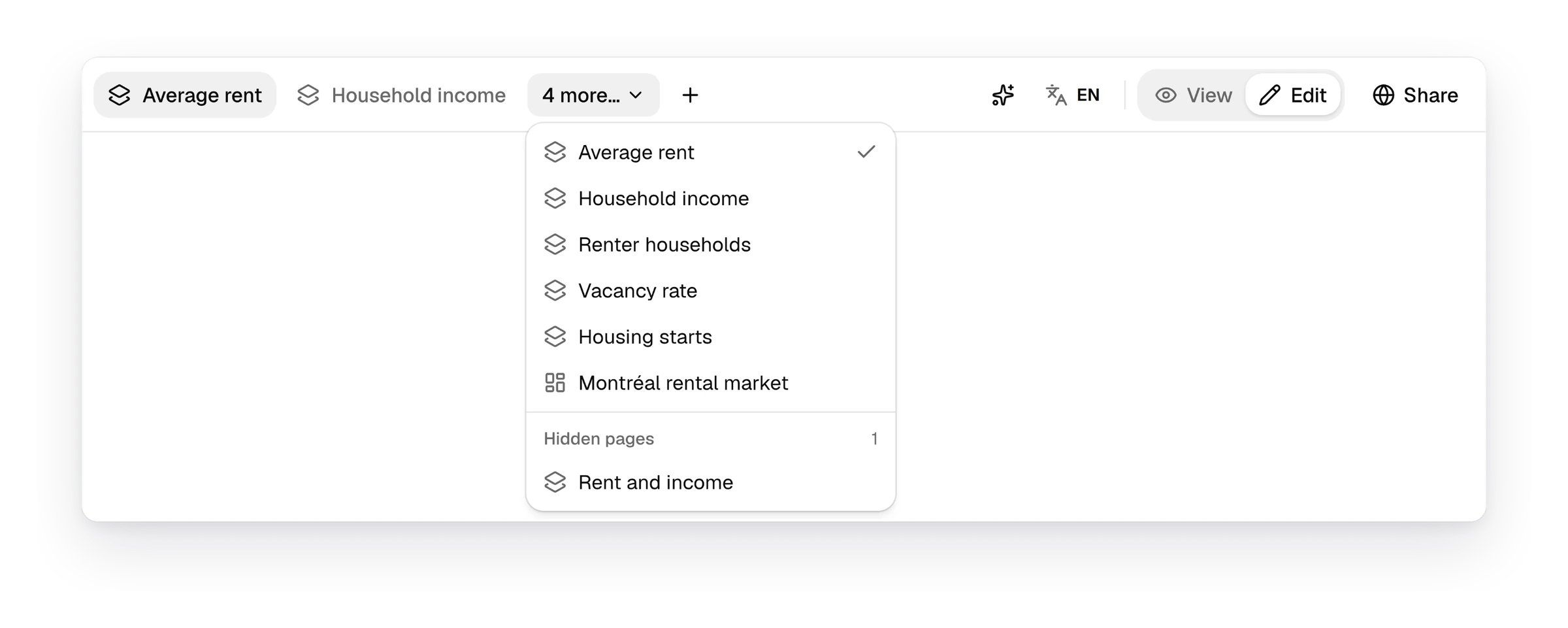
Arrange pages from the tabs
If you have permission to edit the project, you can manage its pages right from the tabs. Click "+" after the tabs to add an indicator page, a document or a dashboard. Right-click a tab to rename, duplicate, hide or delete its page. Drag a tab to move it. Pages listed in the menu at the end of the tabs work the same way. Hidden pages are listed under "Hidden pages" at the bottom of that menu, and only editors can see them. "View" and "Edit" now sit at the right of the top bar, beside "Share".
Download a table as an Excel file
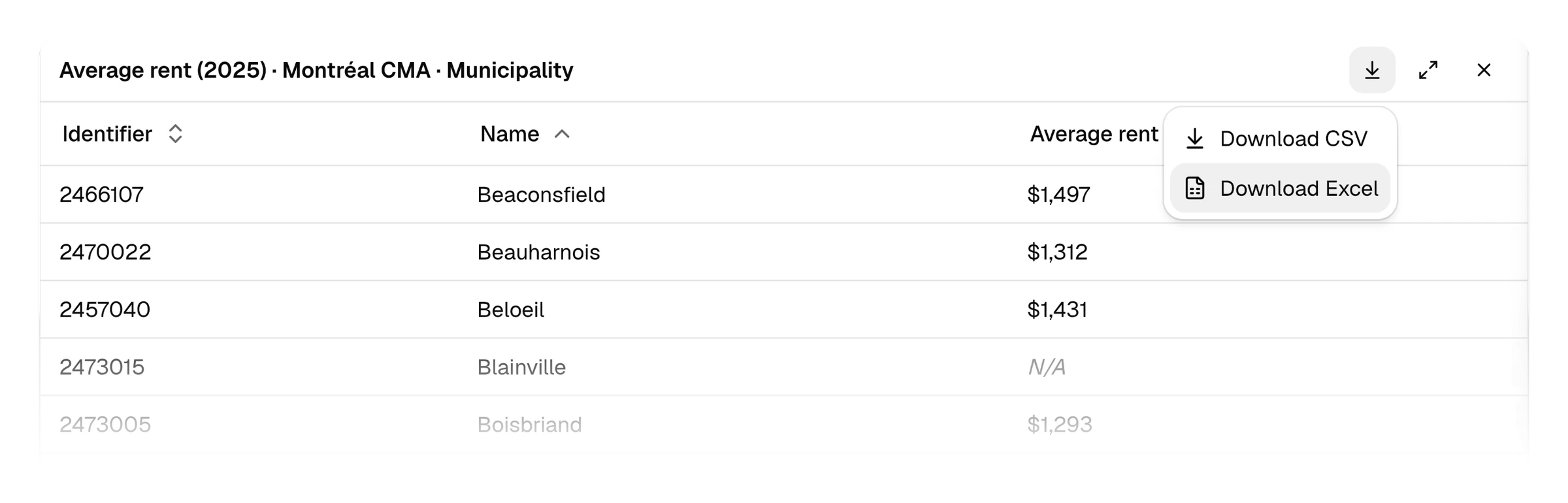
Open a data table and click "Download table" at the top. Then choose "Download Excel". The file holds every row, in the table's order and with its filters. A second sheet lists each indicator column with its sources and the period its values are for. For a housing needs assessment, the average rent of every municipality in the Montréal CMA downloads with a sheet that cites CMHC's Rental Market Survey. An Excel file holds up to 100,000 rows, so download a longer table with "Download CSV".
See how Curbcut Studio fits your next project.
Book a demoNew5
- IndicatorsMetro areas and smaller regions offer dissemination blocks, and hide scales of a single area
- IndicatorsA "View updated" notice says when Curbcut Studio changes your scale or comparison
- DataAccessibility maps credit their destinations' sources and describe each destination type
- AssistantGuests can use the Curbcut Assistant three times as much each month
- Websitecurbcut.ca/explore opens a live Curbcut Studio project on the visitor's own city
Fixes26
- MapsA rate's change between two years reads in percentage points, as Statistics Canada reports it
- MapsAn indicator with no finer scale maps the selected region itself
- MapsMap popups name each area once and list its values in rows
- MapsTitles and exports name census metropolitan areas as such, and French dates follow the OQLF
- MapsFrench titles and exports name provinces and territories in French
- MapsFrench figures use the same space before %, $ and units as between thousands
- IndicatorsThe map's Auto scale follows the zoom when the Data panel is collapsed
- IndicatorsFilter chips show signs such as > and ≤, and both ends of a range
- IndicatorsUploaded data appears in indicator menus for every organization
- ChartsA region's only area takes the map's colour on its distribution
- ChartsScatter plot dots above the last break take the top class's colour, like the map
- WidgetsInsights convert land areas from square metres before giving them in km²
- PagesA page whose saved indicator was deleted opens instead of loading forever
- Pages"Auto-saved" appears once a map edit is saved, and "Saving…" shows until then
- PagesBrowser tabs and history name each page after what it shows, with its project
- PagesSecondary text and keyboard focus rings have more contrast, so they're easier to read
- PublishingEmbedded maps open on their region and keep it when you change pages
- AssistantThe Curbcut Assistant finds accented place names and says when its changes are saved
- AssistantThe Curbcut Assistant answers accessibility questions with the region's real destinations, and explains Curbcut Studio
- AssistantDashboard changes made by the Curbcut Assistant save reliably
- OrganizationsGuests can be invited to several projects, or to join as members
- OrganizationsA guest promoted to owner sees every project on their next visit
- OrganizationsGuests see why they can't create a project instead of an error
- OrganizationsNew organizations' example project includes its "Rent and income" page
- OrganizationsThe example project maps renters as a share of households
- AccountsSigning up from an invitation takes you to the shared project
Improvements1
- PagesA new project shows its page in about 2 seconds instead of nearly 6