
KPI widgets
KPI widgets are a new kind of widget in Curbcut Studio. A KPI shows an indicator's value for your region as one large figure, with its change since the previous period and its trend underneath. A row of them across the top of a dashboard gives council or a client the key numbers before the map.
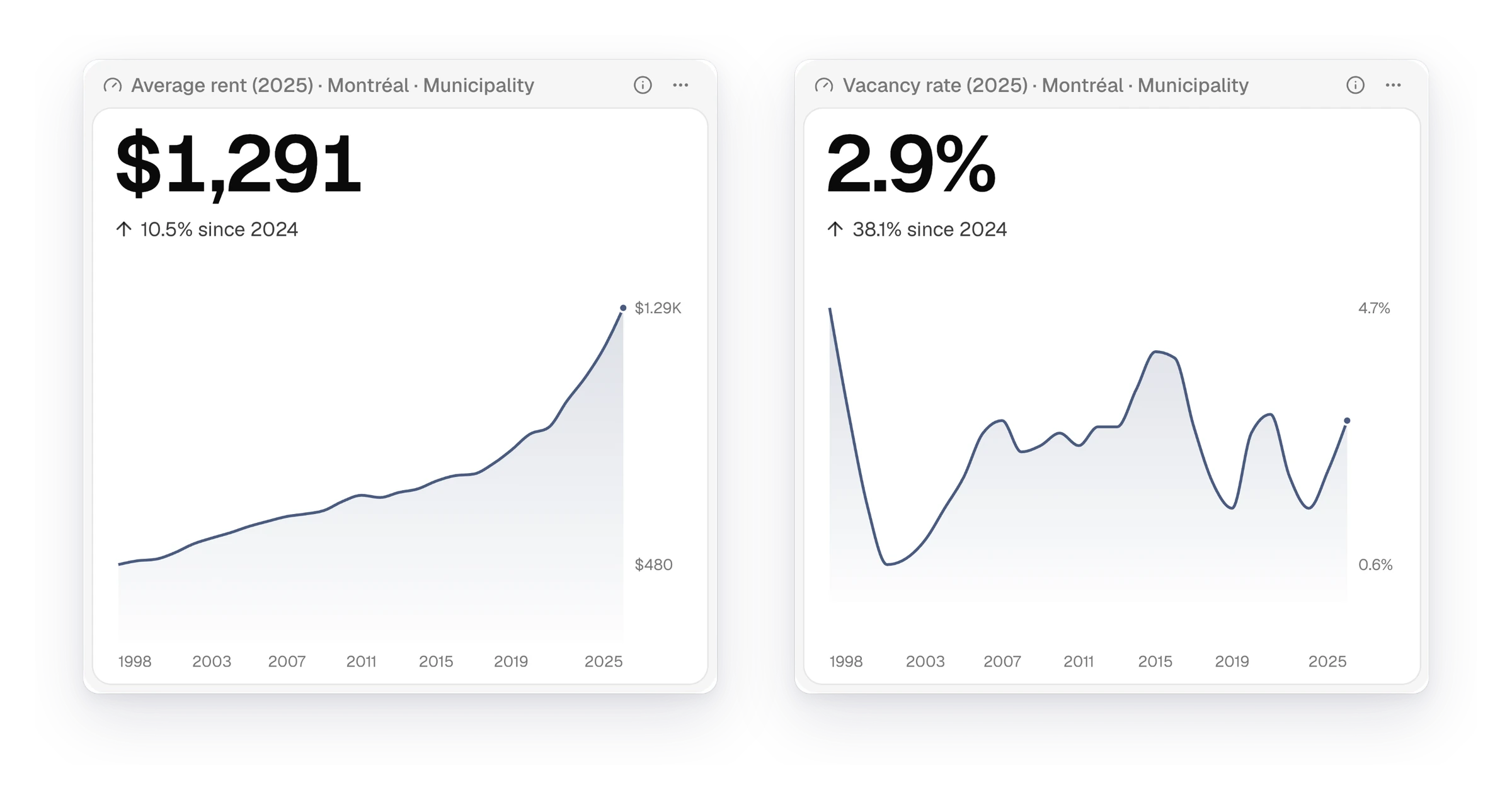
Add a KPI to any page
On a dashboard, click "Add widget", choose an indicator page, then "KPI". You can also add a KPI to an indicator page or a document, or turn any widget into one from "Show as". When the page compares two years, the change becomes the headline figure, with both years' values under it. On a page that compares two indicators, the KPI shows both figures. Hover the trend to read the value for any year.
Ask the Curbcut Assistant for a dashboard
The Curbcut Assistant can now build a dashboard from a request such as "a housing dashboard for Laval with rent, income and core housing need". It lays out a widget for each indicator and puts the headline figures across the top. Where an indicator has no page yet, it creates a hidden page for the dashboard. With a dashboard open, you can ask it to add, remove, move or resize widgets. Undo any of its changes from the chat.
Download a chart as PNG or CSV
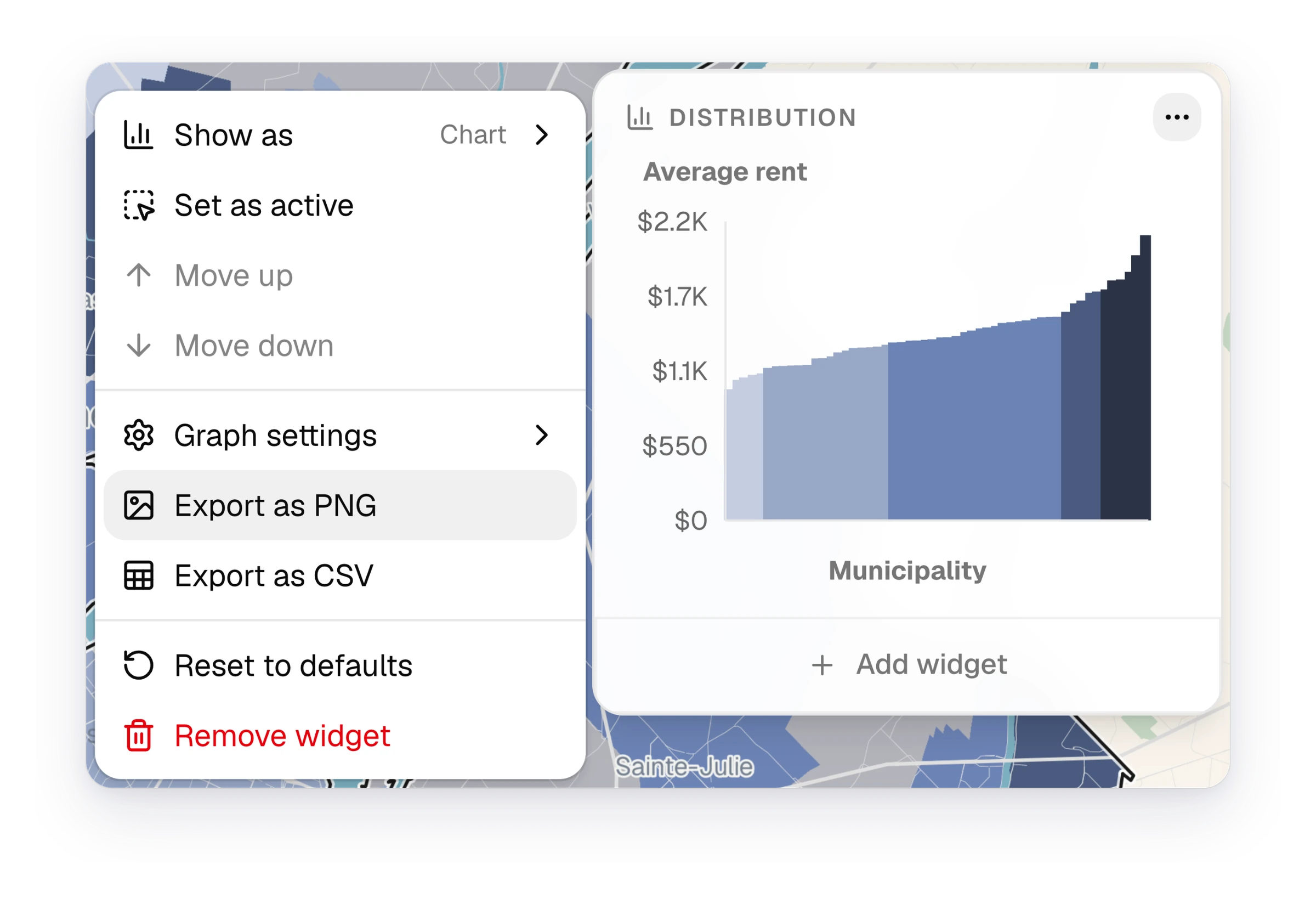
A chart's "…" menu now has "Export as PNG" and "Export as CSV". The PNG carries a title with the indicator, year, region and scale, ready for a report or a slide. The CSV holds the numbers behind the chart, one row for each bar, place, period or category. Both follow what the chart shows, so a breakdown switched to shares downloads as shares. Readers of a published dashboard or document can download them too.
See how Curbcut Studio fits your next project.
Book a demoNew11
- ChartsAccessibility indicators open on "Destination access share", the share of areas within reach
- ChartsWhen you compare two years, distributions and breakdowns can chart each place's change
- ChartsIndicators split along one dimension, such as tenure, open on their category breakdown
- ChartsScatter plots show each place as its own dot, up to 100 places
- ChartsEvery chart draws in the project's colour palette, multi-series charts included
- DashboardsYou can now duplicate a widget or change its source page from its menu
- DashboardsWidget titles name their region, and dashboard widgets reorder more predictably
- DocumentsDocuments can embed any of a page's charts and keep each chart's settings
- IndicatorsAccessibility indicators start with two destination types selected
- PublishingAn embedded project can hide its top bar on sites with their own navigation
- Website"What's new" describes each release, and Curbcut Studio shows new ones after sign-in
Fixes9
- ChartsDistributions with extreme values load instead of timing out
- ChartsBar charts hide place names that would crowd, and name each bar on hover
- WidgetsLong widget titles show in full on hover, and chart names fit their menus
- MapsLegend labels stay readable when you edit breaks or hide a range
- MapsMap exports include the legend when "Include legend" is checked
- TablesCSV downloads include every row, across all pages
- BillingBilling dates no longer shift by a day in the evening
- AccountsOpening the sign-in or sign-up page while signed in takes you to your projects
- WebsiteFrench release videos show French page and dashboard names